v0.0.24· free for macOS and Windows
Every Ableton save,
kept.
Echoform keeps a copy of your project each time you save, tells you what changed in plain words, and opens any earlier version without touching the one you're working on.
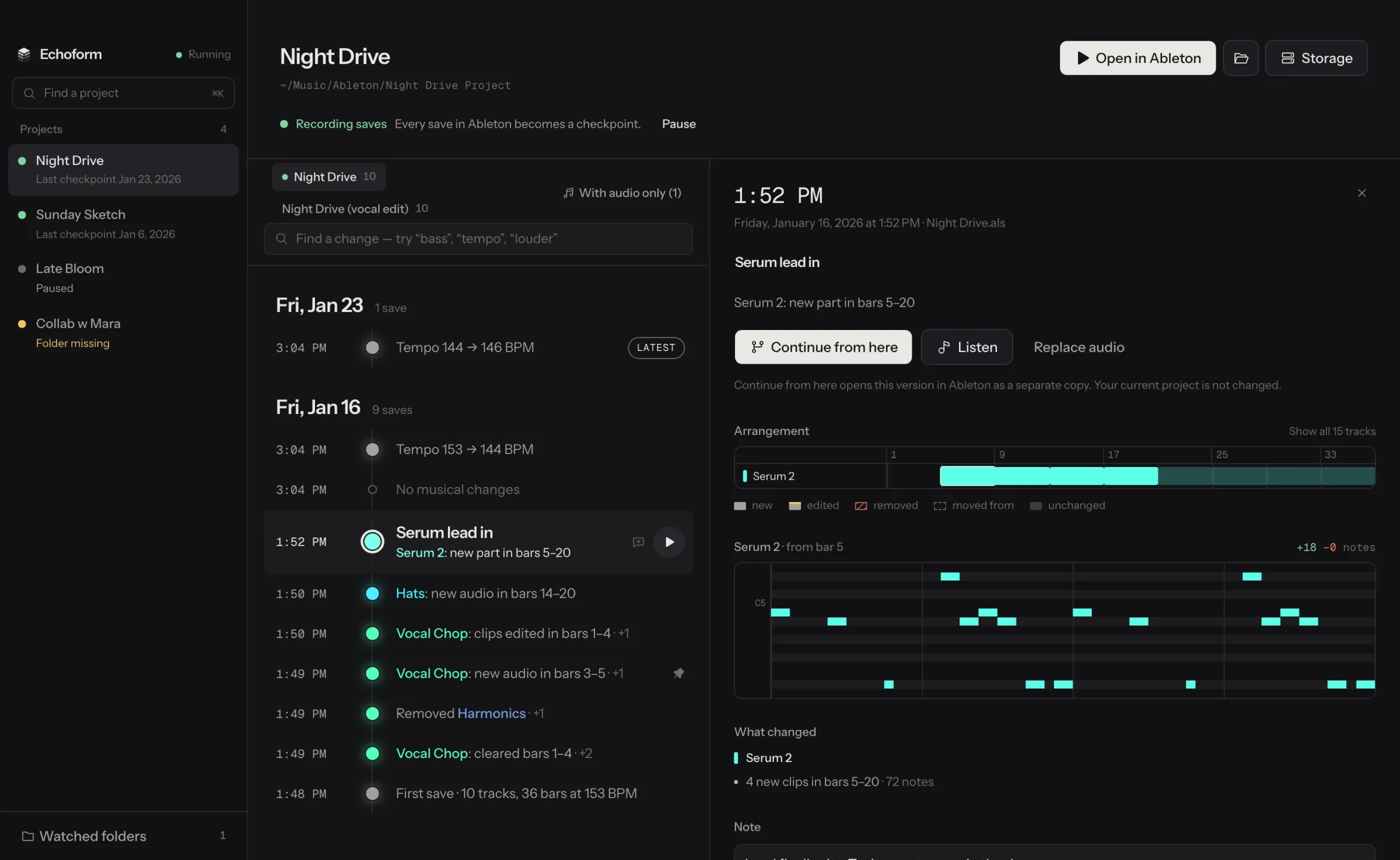
Each save says what changed.
Echoform reads your Live Set and compares it with the save before, so you see the music, not file names.
- New parts, and the bars they're in
- Notes added or removed, shown in a piano roll
- Devices added, switched off or tweaked
- Tempo, faders in dB, sends and automation
- 1:52 PMSerum lead inSerum 2: new part in bars 5–20
- 1:50 PMHats: new audio in bars 14–20
- 1:50 PMVocal Chop: clips edited in bars 1–4
- 11:43 PMPro-Q 4 on Group: Band 2 Gain
- 3:04 PMTempo 153 → 144 BPM
- 3:04 PMNo musical changes
- 10:12 PMKick louder (+2.0 dB)
- YesterdaySub Bass louder (+1.5 dB)
Find the moment it changed.
“When did the bass get quieter?” Type a track, a device or a word like “tempo” or “louder”, and the history narrows to the saves where that changed.
Go back without losing anything.
Liked last night's version better? Continue from any save: Echoform rebuilds it as a separate project, checks every file, and opens it in Ableton. The project you're working on stays exactly as it is.
- Nothing to remember
- Point it at your projects folder. Every time you save in Ableton, you get a version you can come back to.
- Keep the good ones
- Name a save, add a note or attach a bounce to listen back. Those are never cleaned up automatically.
- Every set in the project
- A “Save As” gets its own history, so alternate versions don't get mixed up.
Save as often as you like.
Your projects and their history stay on your computer. Echoform is version history, not a backup, so keep backing up your drive. Releases send limited usage and crash reports to help fix problems.